

How to Build a Website Like Tutor.com?

TL;DR
- Tutor.com is a popular learning platform offering 24/7 academic help and personalized tutoring on over 250+ subjects.
- The growing market demand, technological advancements, convenience, and global reach create ideal conditions to build your own tutoring platform.
- Key features to include are virtual classrooms, interactive tools, payment gateways, asynchronous support, text and voice chat, analytics, and mobile accessibility.
- Custom development costs $50,000 to $80,000+ approximately; ready-made tutoring marketplace software offers 50% to 70% ($700 to $1500) cost savings and compresses project timeline to 1-2 weeks.
- Pinlearn’s tutoring marketplace software is a proven solution for first-time entrepreneurs who want to launch fast and own their e-learning platform.
The global private tutoring market is expanding rapidly and anticipated to be worth $163.54 billion in 2026, thanks to platforms like Tutor.com that offer interactive, personalized and technology-driven learning experiences.
If you are an entrepreneur planning to build your own tutoring platform, you’re stepping into a lucrative industry. But, to attain success choosing the right business model and a development partner who understands the tutoring market inside out is important.
This blog will guide you on “how to build a website like Tutor.com”, covering everything from niche selection to final launch. So, let’s get started!
What is Tutor.com? How Does It Work?
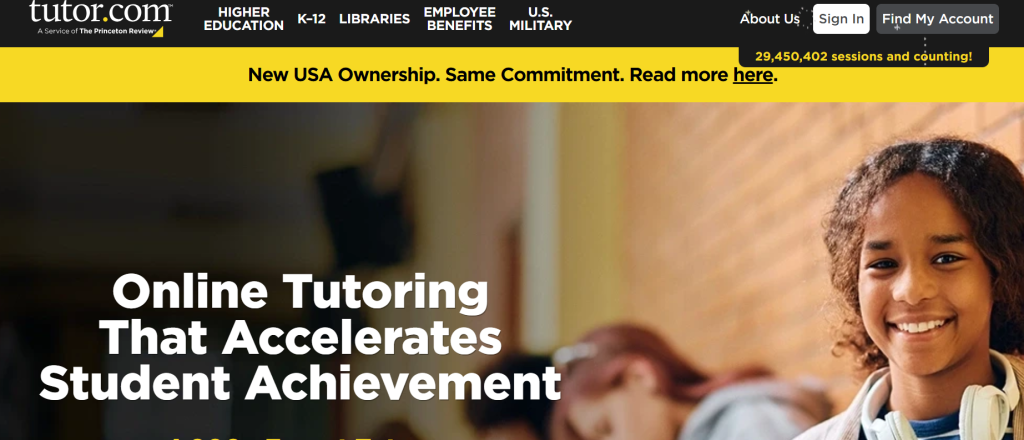
Tutor.com is an online tutoring service connecting students with subject experts for live tutoring, assignment help, and drop-off essay reviews across 250+ subjects. The platform offers on-demand academic help, test preparation, and skill development for young students and adult learners.
Round-the-clock tutor support, flexibility, virtual classroom experience, interactive whiteboards, and learning tools are the top features of Tutor.com.
How Tutor.com Works?
For Students:
- Students need to log in and select the subject and topic to connect with tutors.
- Once the platform connects them with an expert tutor, they can communicate using text or voice chat for clearing their doubts and understand the concepts better.
- Live tutoring is also available, where students can book sessions in advance with qualified tutors. It includes session chats, whiteboard, code editors, and drawing tools for interactive learning.
- After the session, students can review the tutors and save the session for later.
- Institutions can use progress tracking to evaluate students’ performance and optimize sessions to improve outcomes.
For Tutors:
- Tutors go through a rigorous screening and onboarding process before joining the platform.
- The tutor dashboard helps them to highlight their session availability and even show already booked sessions.
- They can either offer on-demand tutoring, essay reviews, homework help or pre-scheduled live sessions. The assignment and essay review feature offers asynchronous help.
- Payments are made based on hourly rates for subject and tutor experience. It is processed biweekly or monthly and also considers the active tutoring minutes completed.
Why is it the Ideal Time to Start a Platform Like Tutor.com?
Here are the 5 top reasons to kickstart your own tutoring platform:
Growing Market Demand
Demand for academic help and professional coaching is growing steadily. Test preparation, professional skills training, and academic support are among the fastest-growing segments in the $12.61 billion tutoring industry.
Flexibility and Convenience
Starting an online tutoring business helps you manage your business from anywhere. You don’t need to be present at a particular physical location, as in the case of a traditional brick-and-mortar setup. Besides, it is convenient for tutors and students who can connect as per their schedule.
Rapid Technological Advancements
On-demand learning, mobile accessibility, and AI integration are key catalysts facilitating the growth of the tutoring industry. These factors help students to connect with tutors instantly and set up personalized learning paths.
Diverse Revenue Streams
As a platform owner, your tutoring site can monetize from pay-per-session, subscriptions, commissions, and advertising. You don’t need to rely on a single source of income ensuring long-term stability.
Global Reach
The biggest benefit is connecting with an international audience. With the internet, geographical barriers are no longer limiting. Going global provides significant opportunities to explore new markets and establish a profitable business.
Step-by-Step Guide to Building a Website Like Tutor.com
Starting an online tutoring site involves several steps from conceptualization to launching your business. Let’s walk through the key steps for building a profitable venture!
Step 1: Decide Your Niche and Target Audience
One of the first things to start your tutoring website is to identify a clear niche that lays out a strong business foundation. This offers you a clear understanding of your tutoring service offerings and your target audience.
But how can you find the right niche? Consider your strengths, expertise, and market demand through the process. Your niche shapes everything, including your business model, core feature set, and marketing strategy. So, choose wisely.
Top niche categories include:
1. STEM Tutoring
- Subjects: Math (Algebra, Calculus, Statistics, Geometry), Science (Physics, Chemistry, and Biology)
- Target Audience: Elementary, high school, and college students
- Revenue Model: Pay-per-class, subscriptions
2. Language Learning
- Subjects: Spanish, Mandarin, French, English or any other high-demand language.
- Target Audience: Professionals, travelers, international students
- Revenue Model: Pay-per-session, subscriptions, commissions
3. Homework Help
- Subjects: Math problem solving, assignment help, exam preparation
- Target Audience: High school and college students
- Revenue Model: Subscription, pay-per- question/task, freemium model
4. Test Preparation
- Subject: SAT, ACT, GRE, GMAT, PMP, CFA, TOEFL, LSAT, MCAT
- Target Audience: Aspiring graduate learners, professionals, and college students
- Revenue Model: Subscription packages, freemium, 1-on-1 tutoring
5. Specialized Skills
- Subjects: Music (piano, violin, guitar), art, technical, and coding skills
- Target Audience: K-12 and university students
- Revenue Model: Pay-per-class, tiered pricing, subscriptions
6. Corporate Training
- Subjects: Technology upskilling and soft skills training
- Target Audience: Organizations and employees
- Revenue Model: Seat-based or per-class pricing, licensing model, subscription bundles
Step 2: Perform Competitor and Market Analysis
After you have found a viable niche, a unique value proposition and target audience. It’s time to validate market demand and position your platform better.
Analyze the top competitors in your niche and gain insights about their strengths and weaknesses. Look at their tutoring services, pricing, marketing tactics and identify gaps. Now, you know precisely which business areas you can focus on to stand out.
Also, examine the customer reviews, content types and platform experience. Chegg, Preply, Varsity Tutors and Wyzant are top tutoring websites.
Use Google Trends and keyword research tools to find the most searched terms like “math tutor”, “SAT tutor”, or “homework help online.” Also, niche subreddits, community forums and Facebook groups are great for finding top industry trends.
Step 3: Picking a Revenue Model
The monetization model decides your platform’s long-term stability and revenue.
Common business models to grow your business include:
- Pay-as-you-go: Simpler pricing structure for individual tutoring sessions.
- Subscriptions & Bundled Packages: Predictable cash flow with monthly subscriptions or session packages. Students show higher commitment with 8 or 12-session packages.
- Commission or Marketplace Model: A two-sided marketplace earns between 15% to 40% commissions from lesson fees. It is easily scalable as the number of users grows.
- Additional Services: Charge more for premium services like homework help, practice papers, or skills workshops.
Step 4: Identify the Core Platform Features
Building intuitive and user-friendly features ensures a seamless experience for both students and tutors.
Must-have features for your tutoring platform include:
1. 24/7 on-demand access
Students can connect with expert tutors anytime to understand concepts, solve math problems or get homework assistance through 1-on-1 sessions.
2. Quick tutor matching
Provide students with a pre-session questionnaire collecting details on their tutoring needs and preferences. Integrate a smart algorithm to match them with proficient tutors based on their subject, tutor availability, and price range.
3. Virtual classroom
Real-time video conferencing creates an excellent learning environment by simulating actual classroom experience. Offer interactive whiteboards, file sharing, code editors, screen sharing and graphing calculators to enhance the learning experience.
4. Text & voice chat
Allow students to choose between text and voice chat during sessions. Voice chat is preferred for better concept explanation, while text chat offers privacy control.
5. Drop-off essay review
Students can get an expert review for essays, assignments or homework within hours of submission. This is an excellent option for students who don’t prefer live sessions.
6. Personalized learning features
Today, students prefer tailored learning experiences for better engagement and concept understanding. You can offer account features, such as a digital file locker, save favorite tutors, session history, and session recordings.
7. Analytics & reporting
Provide real-time data analytics on student progress and issue alerts when additional assistance is required or when challenging topics arise. Track trends, program usage and performance to evaluate platform success.
8. Mobile accessibility
Create a responsive design with faster page loading that is easily accessible across smartphones, tablets and desktops. This allows students to learn from anywhere and at any time.
Advanced features include AI homework help, instant feedback loops, conversational AI tutors, and advanced analytics.
Step 5: Custom vs Ready-made Tutoring Software
One of the most fundamental decisions is to choose from custom development or ready-made solutions.
Both approaches have their own advantages and disadvantages, and your choice depends on budget, expected launch time, risk tolerance and scalability.
Let’s compare the key development aspects for both the approaches!
| Comparison Factors | Custom Development | Ready-made Solutions |
| Development Time | 4-12 months | 1-2 weeks |
| Cost | $50,000 – $80,000+ (approx) | $700 – $1500 |
| Customization | High | High |
| Scalability | High | High |
| Risk of Failure | High | Low (Tried-and-tested solution) |
| Maintenance Cost | High | Low |
1. Custom Development
Developing a tutoring website from scratch involves building all the core functionalities from the start. This is time-consuming and requires a huge budget and a dedicated development team. Moreover, you need to take complete ownership of the entire process from conception to launch. And once you launch your platform, there is always an inherent risk of failure, which is not feasible for entrepreneurs and startups.
2. Ready-Made Solutions
Alternatively, ready-made solutions come with pre-built features necessary for launching a full-fledged tutoring platform. This is definitely an affordable and practical approach for first-time entrepreneurs planning to step into the market early and validate their idea. Moreover, these scripts are highly customizable and can be easily tailored to your niche and branding needs.
Pinlearn is a powerful alternative for building a self-hosted tutoring marketplace with live tutoring and asynchronous learning support. Our solution comes integrated with live video conferencing, built-in Stripe integration, tutor search & scheduling, and analytics. It is an ideal launchpad for entrepreneurs or expert tutors looking to enter the market early with a low budget.
Step 6: Optimize Tutor Matching System
An intelligent tutor matching system is the heart of your tutoring platform. So, make sure it is simple, intuitive and generates accurate results.
Here are a few essential points to keep in mind:
- Advanced search: Include advanced filtering for subject expertise, price range, tutor availability, grade (elementary, high school, college students), and timezone.
- Algorithmic matching: Instead of manual search and filtering, opt for an algorithmic matching. This is a common method used by popular tutoring websites. Students can fill a quick questionnaire providing subject, grade and learning preferences. Then, the platform connects them with an available tutor.
- Scheduling & feedback loop: Tracking real-time tutor availability is crucial. Include calendar sync to show tutor’s booked time slots and reduce no-shows scenarios.
💡Tip: As your platform advances, layer the tutor matching systems with AI recommendations for quality results.
Step 7: Streamline Tutor Vetting & Onboarding Systems
While starting an attractive tutoring platform is empowering, there are certain processes you shouldn’t compromise on. One of them is to establish a streamlined tutor recruiting and verification process. Define a multi-step onboarding and verification process to ensure your platform’s success.
Streamline a smart and effective recruiting process with:
1. Clear eligibility criteria
Define a thorough role description listing the minimum qualifications, experience, subject expertise and expected pay.
2. Transparent interview & subject tests
Conduct different levels of interviews with subject-related questions and mock demo sessions. If you’re looking for skill-based tutors, evaluate them through relevant niche-specific tests.
3. Background & identity checks
Rigorous tutor screening includes detailed database and reference checks. This ensures you build a safe environment for students.
4. Training & quality control
Even after hiring, perform regular check-ins, student feedback surveys, and training workshops.
Step 8: Understand Security & Compliance Requirements
Understanding the compliance and regulatory frameworks builds trust and business sustainability.
The legal landscape involves multiple business aspects such as:
- FERPA and COPPA compliance: FERPA regulatory framework governs how student records are stored and shared, while COPPA requires parental consent when collecting data from children under 13.
- Data encryption: Implement robust encryption standards for protecting sensitive information and student data. This safeguards from unauthorized third-party access during transit and at rest.
- Regular audits: Include regular security audits to identify security vulnerabilities and take appropriate security measures.
- Incident response plans: Outline an effective step-by-step process in case a security event or breach happens.
- Business structure: Choose to set up either an LLC and corporation for personal asset protection, while an LLC offers a more flexible taxation.
Implement proactive measures for securing your e-learning platform. This includes managing third-party integration standards, data minimization and transparent privacy policies.
Step 9: Promoting & Scaling Your Platform
While you might have launched the best tutoring platform, it won’t attract students if no one knows it exists. Identify your target audience and set clear marketing goals like visibility, lead generation or building credibility.
Here’s a tried-and-tested marketing playbook for success:
- Social Media: Build a solid presence where your target audience is most active. For example, you can publish concept explainer videos, study tips, short videos, and testimonials to build niche authority. LinkedIn is great for informative posts, proving your expertise and connecting with clients.
- Facebook groups and forums: Join parental Facebook groups or communities to participate in discussions, share success stories and network with others.
- Paid Ads: Invest in Google search and social media ads to target specific demographics.
- Referral campaigns: Design attractive referral programs with incentives to maximize enrollments.
- Content marketing & SEO: Build a content cluster focusing on relevant user search queries with top keywords.
What is the Cost to Build a Platform Like Tutor.com?
The cost for building a platform like Tutor.com is approximately $50,000 to $80,000+, depending on the project complexity. The final cost varies based on features, design, developer rates, third-party integrations, tech stack, testing, and maintenance updates.
Development Cost Based on Feature Breakdown:
| Feature | Estimated Cost | Development Timeline ($40 per hour) |
| Login & Profile System | 5-6 weeks | $8,000 – $9,600 |
| Live one-to-one or group tutoring | 3-4 weeks | $4,800 – $6,400 |
| Drop-off Essay Review Module | 1 week | $600 – $1000 |
| Tutor Matching System | 5-6 weeks | $8,000- $9,600 |
| Scheduling & Booking System | 5-6 weeks | $8,000- $9,600 |
| Reviews & Ratings | 2 weeks | $3,200 – $5,000 |
| Payment Gateway Integration | 2 weeks | $3,200 – $6,000 |
| Text Chat & Voice Chat | 8 weeks | $12,800 |
| Analytics & Reporting | 6-8 weeks | $9,600 – $12,800 |
| Total Development Cost | 6-12 months | $58,200 – $72,800 |
Recommended Tech Stack for a Website Like Tutor.com
| Development Layer | Technology & Tools | Purpose |
| Frontend Layer | React, Next.js | Rich user interface and interactive experiences |
| Backend Layer | Node.js, Javascript, Python and Django | API logic for content delivery, payments, authentication. |
| Database | PostgreSQL, Redis, MongoDB | Store user data, session data, assessment results |
| Cloud Hosting | AWS, Microsoft Azure, Google Cloud | Scalable computing resources |
| Video Conferencing | Zoom, Microsoft Teams, LessonSpace | Live one-to-one tutoring sessions with chat, document sharing and polls |
| Payments & Payouts | Stripe and PayPal | Accept subscriptions, individual session payments, and tutor payouts |
| AI Frameworks | TensorFlow, PyTorch, fine-tuned LLMs as personal assistants | For AI and machine learning integrations |
E-Tutorscity (K-12 E-learning Platform): Case Study
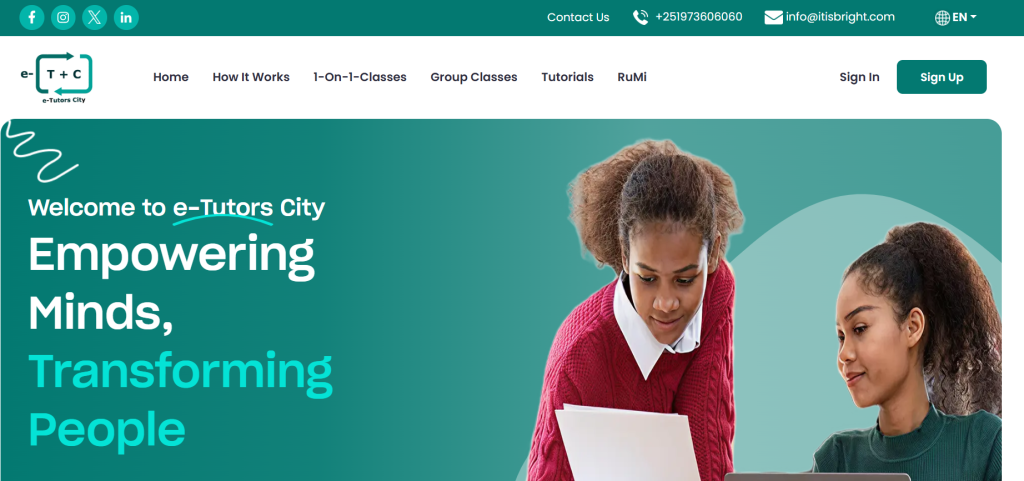
E-Tutorscity is a K-12 e-learning platform built by Pinlearn offering personalized learning through one-on-one live and group classes. The platform offers live class scheduling, subject-specific tutoring guidance, 24/7 intelligent learning assistant “RuMi” and real-time interaction for a comprehensive learning experience.
Pinlearn helped to transform their vision to reality with dedicated dashboards, pre-recorded course library, integrated calendar view and seamless guidance to build an empowering tutoring business.
Conclusion
Launching a tutoring website is a strategic move to step into the growing educational landscape. Create a platform that caters to the needs of modern learners and easily adapts to future market trends. Once your platform gains momentum, explore diverse revenue streams or integrate advanced features like AI personalized learning or AI matching.
Book an appointment with our team to launch your tutoring platform early and stay ahead of the competition!
FAQ-Related to How to Build a website like Tutor.com?
1. How to create a website like Tutor.com?
To build a successful tutoring website:
- Decide on your niche and target audience.
- Know your competitors and market.
- Determine your monetization strategies.
- Identify your core platform features.
- Pick a custom built platform or ready-made clone script.
- Integrate a suitable payment gateway.
- Set up a smart student tutor matching system.
- Streamline tutor verification & onboarding.
- Complete the security & compliance requirements.
2. What is the cost to build a website like Tutor.com?
The cost of building a website like Tutor.com from scratch is $50,000 to $80,000+ approximately. Ready-made tutoring clone scripts help you launch your MVP platform within a budget of $700 to $1500.
3. What are the best development options for building a website like Tutor.com?
Custom development and ready-made clone scripts like Pinlearn are recommended website building approaches. Pre-built clone scripts are cost-effective and to launch your tutoring website within 1-2 weeks.
4. How does tutor matching work?
Once the student registers and completes profile setup, they can initiate a search. The student-tutor matching is done based on subject expertise, tutor schedule, price range, location and language preferences.
5. How does Tutor.com make money?
Tutor.com monetizes from platform commissions, on-demand tutoring sessions, subscription plans and institutional contracts.
6. What AI features can you integrate into tutoring platforms?
AI custom recommendations, dynamic price optimization, predictive analytics and AI assistant for quiz generation, homework help and lesson plans are top AI features for tutoring platforms.
7. How long does it take to build a website like Tutor.com?
Building a website like Tutor.com takes 4-6 months for an MVP platform, while a full-featured website takes over 6-12 months. Using ready-made clone scripts reduces the development time to 1-2 weeks.
8. Can I build a platform like Tutor.com using ready-made clone scripts?
Yes, you can build a site like Tutor.com using ready-made clone scripts and launch early into the market at an affordable price.