How to Create a Website Like MasterClass: A Founder’s Guide
TL;DR
- MasterClass is a world-class learning platform with celebrity-led courses on diverse niches. High-quality video production, multi-streaming, and interactive learning make MasterClass a top choice for learners across the globe.
- Sign up & profile setup, course discovery, video streaming, payments, content protection, analytics & reporting, and admin panel are the must-have features for development.
- Include revenue models like subscriptions, pay-per-course, freemium, advertising, and corporate licensing for long-term stability.
- To differentiate your MasterClass-like platform, choose a hyper-focused niche, build a solid community, and integrate AI personalization.
- Custom development costs $25,000 – $150,000+ and takes 4-12 months of development time.
- Pinlearn’s e-learning software reduces platform costs by 80% and helps to launch within 6-7 days.
If you’re an entrepreneur inspired by MasterClass’s success, knowing the core features and design won’t suffice. Build a competitive platform by integrating unique features while using MasterClass as a strategic foundation. This blog explores the key development strategies, best practices and insights on how to create a website like MasterClass effectively.
What is MasterClass? Why is it Popular?
MasterClass is an online learning platform offering expert-led video courses on business and entrepreneurship, creative skills, health & wellness, and more. The USP of MasterClass is high-quality video courses from industry leaders, celebrities, and niche professionals.
When a user subscribes to MasterClass, they can access a course library with 200+ courses spanning diverse niches. Every class has 10 to 20 lessons with each ranging from 10 to 30 minutes and accessible from desktops, TV, and smartphones.
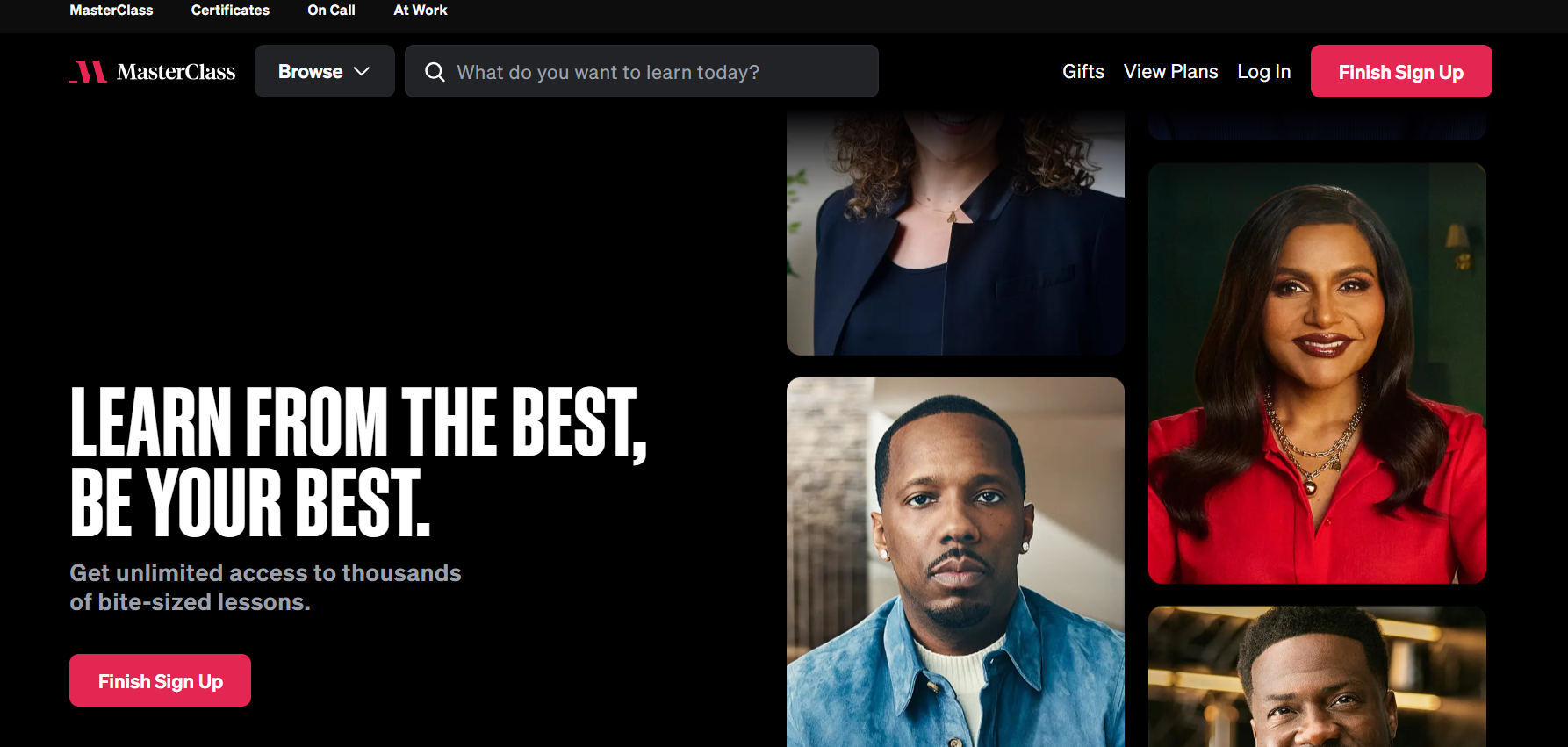
Here’s why MasterClass is popular:
- Accessibility & Flexibility: Learners can take up the classes from anywhere at their own pace, as per their schedule. Also, the classes are accessible from desktop, mobile, TV and include audio-learning options.
- Celebrity-Led Classes: MasterClass offers classes from celebrities like Helen Mirren, Mariah Carey, Gordon Ramsay, and Martin Scorsese. Thus, you can master the topic or skills from the best minds around the world.
- Interactive & Engaging Learning: It stands apart with its high-quality videos and documentary-style production. Learners get structured lessons, practical tools, and also insights from their favorite celebrities.
- Diverse Niche Courses: MasterClass offers a wide variety of courses from different niches, including business & entrepreneurship, cooking, film production, health & wellness, creative arts, and more.
Key Features for Developing a Website Like MasterClass
Understanding the core platform features of a MasterClass-style website is crucial for planning and executing the development stages.
- Secure Login & Registration: Create a secure sign-up and profile creation process, along with social logins for convenience.
- Course Catalog & Search: Allow learners to explore the extensive course library using search and filters for categories, instructors, topics, pricing, etc.
- Video Streaming & Downloading: Ensure high-quality video production with bitrate streaming, fast loading, and playback.
- Progress Tracking: Include progress tracking, automatic saving, and watchlist features for a seamless learning experience.
- Dashboard & Analytics: The instructor dashboard helps to track course performance, engagement, and overall earnings.
- Payment Gateway Integration: Support monthly/annual subscriptions, recurring billing, promotional codes, and regional payment methods.
- Interactive Learning: Incorporate quizzes, certifications, community, and gamification features for interactive learning.
- Security & Content Protection: Enhance security with watermarking, multi-factor authentication, DRM protection, and encryption mechanisms.
- Admin Dashboard: The admin panel helps to monitor user & creator accounts, logins, earnings, and offers moderation controls.
How to Build a Website Like MasterClass in 8 Steps?
Step 1: Choose a Profitable Niche & Business Idea
Start by choosing a profitable niche and a solid business idea for your platform. Before moving on to niche selection, research top competitors and market trends. Analyze the competitors for features, strengths, weaknesses, and brand positioning.
Ask these questions to figure out your niche and business idea better:
- Are you focusing on a hyper-specific niche? (Segment audiences as illustrators, photographers, art directors, or graphic designers)
- Who’s your ideal student? (Beginners, students, professionals, entrepreneurs)
- What’s your platform format? (self-paced video, live cohorts, membership, hybrid)
Example: MasterClass-style platform on emerging technologies (like AI, cybersecurity) for professionals scaling up their careers.
How to Validate:
- Test a mini course, workshop, or a waitlist page before you build.
- Gather feedback from X, focus groups, and niche communities.
- Use tools like Google Trends, Answer the Public, and keyword research tools.
Top niches: Creative arts, finance, business, technology & coding, entrepreneurship, lifestyle & hobbies
Step 2: Determine Your Monetization Model
Your monetization model outlines how your platform generates revenue. Think about your niche, target audience, and platform goals before choosing your monetization model.
Let’s look at the top five common monetization strategies:
Subscription Models
This model involves earning from monthly, annual, or quarterly subscriptions for accessing the video course library. You can even offer standard, plus, and premium subscription tiers, each with unique access levels and prices.
Pros: Offers a steady source of revenue, long-term stability, proven model
Cons: Ongoing content every month, complex setup, churn risk, works for established platforms.
Typical Pricing: $120 – $240 annually for standard, plus, and premium plans (MasterClass pricing)
Pay-Per-Course Model
Learners pay a fixed price for individual courses and get lifetime access. This model is ideal if you are targeting new creators or specialized courses.
Pros: Straightforward pricing, low churn, quick revenue
Cons: No recurring revenue, low LTV, high marketing costs
Freemium Model
In the freemium model, learners can access the basic lessons for free while paying a premium price for full access.
Pros: Low entry barrier, fast user acquisition, and upselling opportunities
Cons: Low conversion rates, high initial platform cost, value perception
Advertising Model
Users access the course content for free, while the platform earns from advertising fees. Most platforms use paid ads as an extra monetization layer or along with a freemium model.
Pros: Low entry barrier, easy learner acquisition, and additional revenue
Cons: Distracts learners, affects brand perception, and needs high traffic
Corporate Licensing Model
Companies purchase course programs for employee training and upskilling. This involves organizations paying a bulk fee for the content, typically through packages or seat-based pricing. For example, MasterClass at Work provides niche training programs for corporate employees.
Pros: Predictable revenue, massive revenue deals, low churn
Cons: Difficult sales and marketing cycles, advanced analytics, and features
💡Dig Deeper: E-learning Platform Monetization Strategies
Step 3: Plan the UX and Interface Design
Great UI/UX design makes for a power-packed and engaging learning experience. It’s crucial to consider your audience’s persona (background, age, learning preferences, pain points) while designing your platform.
Build a powerful platform design with:
Easy Navigation
Design a simple, intuitive interface with clear navigational paths using progress indicators and structured learning experiences.
Onboarding & Personalization
Include adaptive learning paths by capturing learners’ goals, niche interests, and learning history, making learning content more relevant.
Interactive & Engagement Features
Incorporate quizzes, challenges, badges, certificates, and community features to drive engagement and reduce drop-offs.
Mobile-First
Multi-device streaming is one of the key design aspects for MasterClass-like platforms. Support responsive design, offline viewing and content sync across all devices.
💡Dig Deeper: UX Best Practices for Modern E-Learning Platforms
Step 4: Choose Your Development Approach
There are two main approaches for building a website like MasterClass: Custom development and ready-made clone scripts.
Option 1: Custom Development
Custom development involves building all the features and functionalities from scratch. This requires extensive research and a dedicated development team with technical expertise. The entire process demands a high budget and takes a timeline of 4-12 months.
Pros:
- Ideal for building a unique platform
- Complete control over the feature set
- Highly customizable and scalable
Cons:
- High budget
- Long development time ( 4 – 12 months)
- Requires a dedicated tech team and resources
Option 2: Ready-made Clone Scripts
Ready-made clone scripts are pre-built solutions integrated with all the features for running a MasterClass-like platform. It helps to customize and brand your platform as per your business needs. As businesses don’t need to build the core features, they can save their development time. This further lowers the overall platform cost and reduces the launch time.
Pre-built scripts are ideal for building a website like MasterClass, given their flexibility, affordability and convenience.
Pros:
- Faster launch time
- Cost-effective
- Proven business model
Cons:
- Needs basic setup and installation
Pinlearn offers a MasterClass clone script for launching your own course marketplace quickly without any coding skills. You just need to choose your niche and business model, and you’ll get a tailored course platform as you planned. The clone script comes with a broad range of features, such as course management, search functionality, payments, and analytics & dashboards.
Step 5: Build an Effective Content Strategy
Adopting a modular content strategy helps to make an impactful learning experience and build brand authority.
Set Clear Learning Objectives & Goals
Start by creating an ideal learner persona for better learning outcomes. Gather learner data using surveys, interviews, and analytics.
Onboard Quality Instructors
Decide whether you’re planning to host celebrities or niche experts. Reach out through talent agents, social media, email, and LinkedIn DMs.
Layered Content Format
Ensure instructors curate a blend of full-length videos, short lessons, guides, and resources. Also, create video previews, trailers, and clips for marketing purposes.
Design a Content Calendar
Consistency is the key element for effective content management. Outline a clear content calendar for ongoing subscriptions, releases, newsletters, and other social media promotions.
Track and Measure Content Performance
Provide instructors with analytics tools to track learning outcomes. Engagement, completion rates, churn, and user reviews are key measurable metrics.
Step 6: Orchestrating Video Quality & Delivery
From content uploads to seamless playbacks, there is a lot that goes on behind the scenes. The platform needs to handle encoding, storage, delivery, and security to ensure the streaming experience is smooth and glitch-free. That’s why a robust video infrastructure matters!
Key elements for video infrastructure:
Cloud Hosting Services
Select the reliable cloud services like AWS and Google Cloud, based on your content volume, latency requirements, and cost. Cloud infrastructures are better than on-prem servers for their pay-as-you-go model and lower upfront costs.
Adaptive Bitrate Streaming
This feature helps the platform to adjust the video quality based on network speed, user needs, and device limits.
Content Delivery Networks (CDNs)
CDNs store and stream content from the nearest server, cutting down latency and buffering issues.
Video Security
Enhancing digital media security helps to prevent unauthorized access. Video encryption, watermarking and in-app viewing are some security controls to be implemented.
Step 7: Design the Right Pricing Model & Packages
Pricing is one of the most essential factors for building a successful educational website. Your ideal price point depends on your target audience, market positioning, and trends. Also, consider whether you’re targeting a B2C or B2B audience before finalizing the price.
Companies with an effective tiered pricing strategy can increase revenue by 15% – 30%. Structure packages at diverse price points for attracting different segments of the audience. Adopt the “Good, Better, Best” approach, creating 3-4 unique packages.
For designing the tiers, create a base tier (good) with core features. The mid-tier (better) includes a few basic differentiator features, while the premium tier (best) provides the advanced features.
Step 8: Launch & Marketing Strategies
Once you test your platform’s essential features and flows, it’s time to hit the ground running. Deploy your platform on the server and monitor its performance for the first few days.
Here are the top promotional strategies:
- Pre-launch Strategy: This involves building user anticipation before your platform goes live. Typically, includes lead magnets, a landing page, and social media content teasers.
- Launch: Plan strategically for the official launch. You can choose to go for a beta launch with a small group of learners and collect feedback before the actual launch. For the actual launch, plan a live launch event, send launch emails, and make announcements on social media.
- Post-Launch Strategy: Keep the buzz alive and run promotional campaigns. Use paid ads, content marketing, referral programs, testimonials, and brand partnerships to maintain momentum.
💡Dig Deeper: How to promote an e-learning platform?
How Can I Make My MasterClass Platform Stand Out?
Here are the key differentiating factors you can scale upon:
Niche Focus
Shift your platform focus from “one-size-fits-all” to a hyper-focused niche. For example, instead of building just a fitness platform, you could focus on a strength training platform for athletes.
Live Cohorts & Interactive Learning Features
MasterClass provides self-paced learning with quality video lessons. You could incorporate live cohorts and pre-recorded video lessons for deep learning. Further, include quizzes, live workshops, gamification features, and peer feedback for real-time engagement.
Community Layer
Adding an extra community layer can work great for niche learning platforms. Your ultimate goal should be to unite learners with common passion and skills. Think of forums, peer groups, contests, and mentorship programs.
AI-driven Personalization
Include features like AI recommendations, dynamic pricing, AI content creation tools, etc., to engage and personalize learning.
How Much Does it Cost to Build a Website Like MasterClass?
The overall cost to build a website like MasterClass ranges from $25,000 to $150,000+ approximately. The final cost depends on several factors, including feature complexity, technology stack, hourly rate, and development approach.
Cost Breakdown based on Platform Complexity:
| Platform Complexity | Estimated Cost | Development Timeline |
| Basic (MVP Platform) | $25,000 – $40,000 | 4-6 months |
| Medium Complexity | $40,000 – $70,000 | 6-8 months |
| Advanced Platform (AI personalization, advanced UX) | $70,000 – $150,000+ | 8-12 months |
Cost Breakdown based on Development Approach:
| Development Approach | Estimated Cost | Development Timeline |
| Ready-made MasterClass clone scripts | $700 – $1500 | 6-7 business days |
| Custom Development (Building from scratch) | $25,000 – $150,000+ | 4-12 months |
Conclusion
Creating a site like MasterClass is a good idea to begin your journey as an edtech entrepreneur. The educational market has great demand and solid potential for scaling your business. Unlike traditional educational platforms, MasterClass-style platforms require robust technology, high-quality content and monetization strategies.
Pinlearn is a leading educational platform development company helping several entrepreneurs transform their vision into educational empires. Contact our team today to build the next revolutionary learning platform!
FAQs for How to Create a Website Like MasterClass
1. What is the recommended tech stack for building a MasterClass-type website?
Choose a robust tech stack with React, and Vue.js in the frontend and Node.js and Django as backend frameworks. PostgreSQL and Redis are recommended databases. Further, Stripe and PayPal are reliable payment providers. Include AWS and Google Cloud as scalable cloud providers.
2. Can I build a website like MasterClass without coding?
Yes, entrepreneurs can launch a MasterClass-like website with ready-made course marketplace clone scripts like Pinlearn. It offers built-in features, such as course management, payment integration, dashboards and analytics.
3. How does MasterClass make money?
MasterClass monetizes primarily from tiered memberships and corporate licensing (MasterClass at Work) offering access to the entire course library. Pay-per-course, freemium upsells, ads, and corporate packages are additional revenue sources you can incorporate.
4. Who are the direct competitors of MasterClass?
BBC Maestro, Skillshare, Udemy and Coursera are direct competitors of MasterClass.
5. How long does it take to build a website like MasterClass?
Custom development takes around 4-12 months; ready-made clone scripts can help you launch your platform within 6-7 days.
6. How to keep learners engaged on a MasterClass-like platform?
Offer features like interactive quizzes, assignments, discussion forums, and high-quality videos for improving learner engagement.