
How to Build a Website Like edX?
Key Takeaways:
- Core Development Steps: Start with business validation, perform competitor analysis, choose the right monetization model, understand the legal landscape, design the UI/UX, pick a suitable development approach, launch your edX-like platform and promote actively.
- Essential Features: It includes registration & profile setup, course discovery, video streaming, payment integration, dashboard & analytics, progress tracking, certificates, and mobile responsiveness.
- Popular Development Approaches: Entrepreneurs can use custom development or ready-made e-learning software for building edX-like websites.
- Custom Development vs. Clone scripts: Building from scratch is expensive and extends launch timelines to 4-12 months; ready-made clone scripts enable businesses to launch within 1–2 weeks at up to 50% lower cost.
edX’s success story is one of the most revolutionary journeys in the educational landscape. From a university experiment to a learning platform for 100 million learners, edX has come a long way. With over 250 content partnerships from top universities and institutes, the platform is one of the top choices for professional courses and certifications.
Along with Open edX, its free open-source LMS for universities, the platform has built an entire learning ecosystem to scale on. If you’re building a premium learning platform like edX, fortunately, you don’t need to be a Harvard or MIT graduate or a coding wizard. With ready-made e-learning software like Pinlearn, you can launch an edX-like website without any coding skills or expertise.
This blog covers the detailed development roadmap on how to build a website like edX and a practical alternative to skip building from scratch.
What is edX?
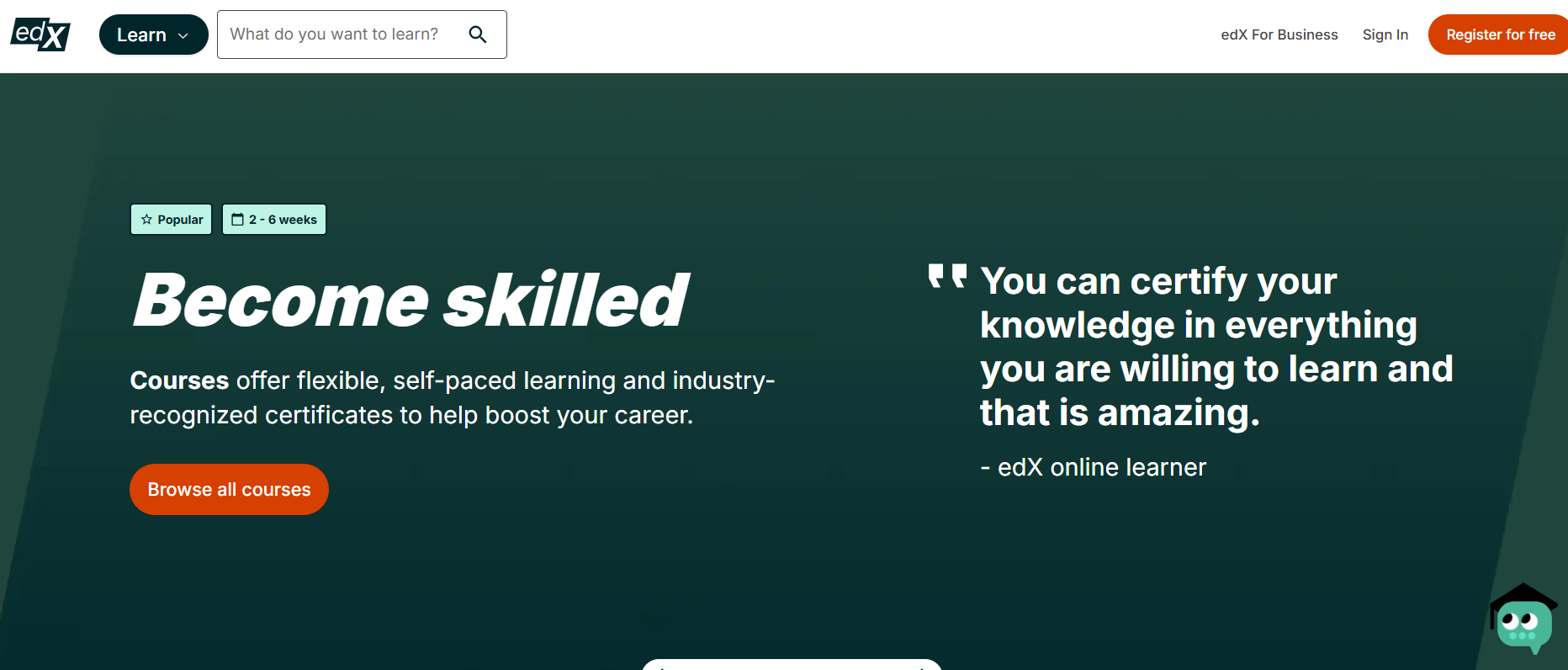
edX is a large learning community offering courses, degrees, and certifications from the world’s renowned universities. It partners with leading universities such as Harvard, MIT, Stanford, Oxford, and University of Chicago.
The MOOC platform focuses on high-demand courses like business, technology, data science and management courses bridging the industry skills gap. While it doesn’t operate like traditional course marketplaces like Udemy, it supports self-paced, accessible and interactive learning.
The edX platform adopts a freemium model, where learners can audit the courses for free, and pay a fee for verified certificates depending on their program.
Essential Features for Building an edX-Like Platform
Let’s explore the key features for developing an edX-like website!
- User-Registration & Profile Setup: Create a simple sign-up process for instructors and learners using email and social logins. Further, learners can modify their basic profile details, preferences, and account setup.
- Course Search & Discovery: Allow learners to browse courses based on topic, educators, or trending courses using the extensive course catalog and search bar. Learners can also filter courses for different subjects, skills, learning categories, and course levels.
- Course Authoring Tool: Provide course creation and publishing workflows for courses, quizzes, practice tests, and certificates.
- Video Streaming & Management: Integrate adaptive video streaming, hosting, and CDN for seamless content delivery.
- Certificates: Provide certificates for professional courses and degrees once a learner completes the course.
- Progress Tracking & Interactive Learning: Learners can track course progress with test scores and grading reports. Additionally, interactive features like practical assignments, discussion forums, and quizzes make learning more engaging.
- Payment Integration: Accept payments via Stripe or a reliable local payment solution, as per your business needs.
- Analytics & Reporting: A comprehensive dashboard helps instructors and admins track learner behavior, engagement, and course performance in real time. With these actionable insights, instructors can identify drop-off points, optimize course content, and improve completion rates.
- Mobile Optimization: Provide a mobile-responsive design for students to learn from desktops, mobile devices, and tablets.
- AI Features: Integrate AI flows with AI course creator, learning assistants, AI translations, etc. edX has embraced the AI wave with its edX plugin for ChatGPT and edX Xpert assistant.
- Admin Panel: Admin can track learner counts, instructors’ profiles, course reviews and revenue from a single dashboard.
- B2B features: Like edX business, build a corporate training segment offering upskilling courses, team dashboards, and progress tracking features.
How to Build a Website Like edX in 8 Steps?
Here are the main developmental steps for creating an edX-like website:
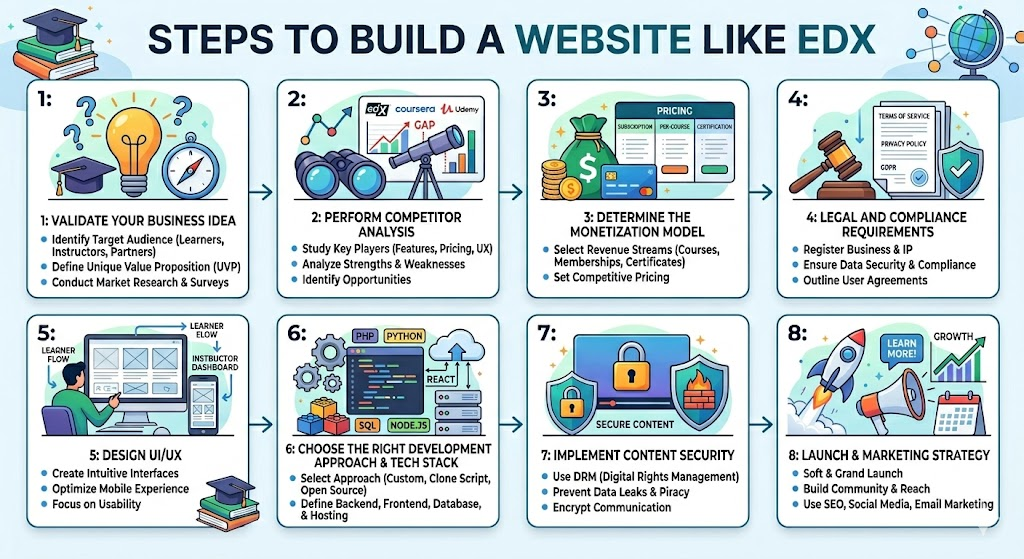
Step 1: Validate Your Business Idea
Validating your business idea in the initial phase is crucial for long-term stability. First off, make sure your edX-style website solves a real market problem. It should offer real value to your target audience.
Here are a few ways to make your validation step easier:
- Interview 10-15 potential learners and instructors on Reddit, X, or LinkedIn. Understand their expected features, pain points, and what they really want in an e-learning platform.
- Identify the likely universities, schools, and corporates, arrange meetings and listen to their challenges and expectations.
- Perform market research to grasp the top opportunities, key trends, and market size.
- Create a simple landing page with an email address field and measure sign-up rate.
- Build a prototype with the core offering and gather feedback from users.
Step 2: Perform Competitor Analysis
EdTech is a fiercely competitive market. Study top educational marketplaces like Udemy, Coursera, edX, and LinkedIn Learning. Understand their platform gaps, pricing, business model, and also go through their user reviews. A complete analysis helps to establish a clear market positioning.
Here’s a quick competitor analysis table:
| Top Platforms | Business Model | Content Niche | Certificates | USP |
| Udemy | Pay-per-course | Vast library of courses focusing on high-demand niches and skills. | Paid courses include certification | Affordable and flexible learning from industry experts |
| Coursera | Subscription & pay-per-course | Trending niches like data science, AI, technology, business, and marketing | Yes, for courses and professional degrees. | University & institutional partnerships, corporate training and flexible learning |
| edX | Freemium model charging for certifications, degrees, and corporate training | Strong focus on professional and academic courses | Yes, for professional certifications, MicroMasters, MicroBachelors and XSeries programs | Credible courses from top-tier universities and institutions |
| Udacity | Subscriptions | Focuses on tech upskilling | Yes, offers nanodegree certifications | Bridge the learning and employment gap with project-based learning and mentorship |
Step 3: Determine the Monetization Model
The platform’s monetization model influences the feature set, design, and overall success.
Top monetization strategies for e-learning websites include:
| Monetization Strategy | Description |
| Subscriptions | The platform earns from monthly and annual fees, offering unlimited course access. Suitable for learners who want to enroll in a long-term course, while platforms earn a predictable revenue. |
| Pay-per-course | Monetize from individual courses, professional certifications, and specialized training programs. Here, learners can purchase standalone courses with a one-time payment without a long-term commitment. |
| Freemium Model | Provide the basic course topics for free but charge for full course access, certifications, or advanced features. |
| Corporate Training | In the B2B model, platforms can generate predictable revenue from corporate packages by charging on a per-user or per-seat basis. |
| Certificate Fees | Learners can pay additional fees for gaining professional certification once they complete their course. |
Step 4: Legal and Compliance Requirements
Knowing the legal and compliance regulations is one of the key steps in the “how to build a website like edX” guide. Yet, most entrepreneurs delay it or ignore it altogether.
Below are the critical legal aspects for your e-learning platform:
- Data Protection & Privacy Regulations: Ensure your website complies with region-specific regulations, such as GDPR for the EU, CCPA, and FERPA for the US. Here, data collection, user consent, and privacy policy are key areas to address.
- Certification & Accreditation Compliance: If you’re partnering with institutes for offering professional certifications or degrees, you need a valid license.
- Payment Security: Follow the PCI DSS compliance standards and integrate with secure payment gateways like Stripe and PayPal.
- Content Licensing: This is one of the most important compliance requirements. Establish clear copyright and ownership rights for your course content. You must define who owns the content and set up transparent revenue-sharing terms.
- Legal Terms & Policies: Define terms of service, refund, and privacy policy for smooth business operations.
Step 5: Design UI/UX
Your platform design has a strong impact on your learners’ journey, even more than you think. So, it is essential to create a simple, intuitive, and engaging design.
Key Design Aspects:
- Simple Navigation & Course Discovery: Provide clear course categories, a search bar, and popular programs to maximize enrollments.
- Visual Aesthetics: Choose professional colors and predictable layouts that don’t distract from the learning process and maintain focus.
- Engagement & Feedback Loops: Show course recommendations, progress indicators, active courses and certifications to encourage learning.
- Mobile Responsiveness: Optimize learning experience for both mobile and desktop users with responsive layouts.
Step 6: Choose the Right Development Approach & Tech Stack
Choosing the right development approach is crucial to balance feature development, performance and long-term stability. The right approach depends on your project goals, expected launch time, and planned budget.
Let’s look at the common development approaches.
Option 1: Custom Development
Custom development involves building every feature, design, and functionality from scratch. This is time-consuming and requires a dedicated development team and resources. While this approach offers full control, you need a higher investment and more time, typically 4-12 months.
Cost: $30,000 – $150,000+
Best For: Complex flows & unique platform idea
Cons: High budget, extensive project timeline, high risk
Maintenance: Complex maintenance & support cycles
Option 2: Ready-made edX Clone Scripts
Ready-made apps are cost-effective, provide faster market entry, and have a lower risk of failure. The pre-built features and functionalities help you to launch quickly and validate your business idea. Moreover, you can focus on growing and scaling your platform, rather than building the foundational framework.
Cost: $700 – $1500
Best For: Entrepreneurs and startups with a minimal budget and seeking a quick launch
Cons: Basic installation and setup needed for customization
Maintenance: Low maintenance costs
Tech Stack
| Development Aspect | Technology |
| Frontend | React, Next.js, Vue.js |
| Backend | Node.js (NestJS), Python/Django, Ruby on Rails |
| Database | PostgreSQL, MongoDB, Redis |
| Cloud Storage | AWS, Google Cloud |
| Payment Gateways | Stripe, PayPal |
| CDN | CloudFlare, Amazon CloudFront |
Step 7: Implement Content Security
E-learning marketplaces collect sensitive personal data and closely monitor user’s learning activity such as course enrollments, progress and session metrics. While this helps to personalize learning experience, safeguarding user data is crucial.
Building a secure learning infrastructure involves:
- Complying with global data protection laws and standards, including GDPR, CCPA.
- Adherence to industry-grade security standards, including SOC 2 Type II audit certification.
- End-to-end TLS data encryption in transit and at rest.
- Role-based access privileges and permissions for learners, instructors and administrators.
- Data backup to protect against system failures and data breaches.
- Multi-factor authentication and secure API controls to prevent unauthorized access.
Step 8: Launch & Marketing Strategy
Your marketing plan must offer a strong acquisition strategy for attracting learners and instructors. Start by segmenting your target audience. For instance, if you’re offering university-led learning programs, professional learners, students and educational institutions are your primary target audiences.
Key Acquisition Channels:
- Paid Advertising – Run paid campaigns on Google Ads and social media ads on LinkedIn, Instagram, and Facebook to increase course enrollments.
- Referral Programs – Build affiliate programs offering attractive commissions for existing learners or creators, thus boosting sales.
- Partnerships – Reach out to universities, schools and institutes for strategic partnerships.
- Social Media Marketing – Create buzz on Facebook, LinkedIn and YouTube with course previews, social proof and feature updates.
- SEO – Include relevant target keywords like “certification programs”, “online courses” and in relevant pages to rank higher in Google search.
- Email Marketing – Promote popular courses, trending programs and new launches through email marketing. Run attractive course offers, bundles and discounts to prospective buyers.
Development Roadmap for an edX-like Platform
A development roadmap helps to align the educational goals with technical implementation and build an e-learning platform that fits learners’ expectations. Further, a more structured approach helps with cost optimization, scalability, and enhanced user experience.
Phase 1: Define Project Scope & Architecture (1-2 weeks)
- Define your niche and target audience.
- Identify 4-5 top competitors and conduct a detailed analysis.
- Interview potential universities and institutions for requirement gathering.
- Prepare your project requirements documentation and feature list.
Phase 2: Design UI/UX & Architecture (4-7 weeks)
- Build wireframes and core website pages, such as course discovery, dashboard, and course-level information.
- Design system architecture, database, and authentication systems.
- Create a mobile-responsive design accessible from all devices.
Phase 3: Feature Development & Testing (8-12 weeks)
- Frontend Development: Develop user authentication, course catalog & search, course player, dashboard, and checkout pages .
- Backend Development: Build a learner management module, course enrollment, payment integration, certificate and progress tracking system.
- Set up relevant databases for each module.
- Perform usability, functional, security and load testing.
Phase 4: Launch & Deployment (1-2 weeks)
- Choose your deployment platform, CDN, cloud hosting, and database setup.
- Perform beta testing with a select group of users.
- Promote strategically using SEO strategies, social media platforms, referrals, etc.
How Can You Structure Institutional Partnerships for edX-like Platforms?
Institutional partnerships are the core of the edX business model. Collaborating with the right partners ensures quality education, business stability and learner retention.
Follow these steps for successful business partnerships:
- Choose the right partnership type (e.g., universities, schools, corporations, or subject matter experts).
- Clearly define the ownership structure and responsibilities, including course creation, hosting, infrastructure, payments and promotions.
- Define an equitable revenue split (e.g., platform gets 30% and institution gets 70%)
- Design the course development workflow, copyright terms, and compliance standards.
- Continuously monitor KPIs, such as enrollments, course revenue, lesson completion and reviews.
How Much Does it Cost to Build a Website like edX?
The cost to develop an edX-like platform is approximately $30,000 to $150,000+. The actual price depends on feature complexity, tech stack, integrations, and development approach.
Here’s a rough estimate based on complexity:
- Basic Platform (MVP) – $30,000 to $60,000
- Mid-level Complexity – $70,000 to $80,000
- Advanced Platform – $80,000 to $150,000+
Cost Estimate based on Development Approach
| Development Approach | Cost Estimate | Development Timeline |
| Custom Development | $30,000 – $150,000+ | 4 – 12 months |
| Ready-made marketplace software by Pinlearn | $700 – $1500 | 1 – 2 weeks |
The more complex your app, the higher is the development cost. Further, infrastructure, hosting, marketing and maintenance & support are some of the hidden costs. One of the effective ways to reduce costs is by using e-learning marketplace software like Pinlearn. It provides easy course management, a built-in marketplace, payment gateway integration, comprehensive instructor and admin dashboards, along with analytics.
Conclusion
The $275.86 billion e-learning market is definitely an excellent business opportunity for businesses and startups. And, building a website like edX helps to tap into this expansive industry and earn profits. However, to achieve success, strategic planning and the right execution is the key.
That’s where you’ll need a reliable and competent e-learning development partner. A company with a strong reputation and years of experience building successful course marketplaces and tutoring platforms. Thus, you can launch a market-ready, scalable, high-performance platform within weeks. Ready to launch your innovative edX platform? Let’s achieve the next development milestone together!
💡Similar Blogs:
FAQs-Related to How to Build a Website Like edX
1. How long does it take to build a website like edX?
Custom development for edX-like platforms takes 4-12 months, depending on feature complexity. Using ready-made e-learning software, you can build your e-learning platform within 1-2 weeks.
2. What are the key features for an edX-like platform?
Must-have features for edX-like platforms include registration and profile setup, course discovery, authoring tools, progress tracking, video streaming, payments, analytics and reporting, and admin panel.
3. How much does it cost to build a website like edX?
Building an edX-like website costs $30,000 to $60,000 for an MVP platform, $60,000 to $80,000 for a medium-level platform and $80,000 to $150,000+ approximately for advanced platforms.
4. What are the security controls for content protection on edX?
Include multi-factor authentication, data encryption, DRM protection, watermarking, and secure video hosting for enhanced security protection.
5. Can I build an edX platform using ready-made e-learning software?
Yes, you can build an edX-like platform using ready-made e-learning software and launch your platform with minimal budget within 1-2 weeks.
6. Do you need licenses or special accreditation for building edX-like platforms?
A license is not required if you are launching a generic course marketplace; however, websites focusing on accreditation or professional certification need a valid accreditation.
7. What are the different scaling strategies for edX-like websites?
Scale your edX platform with revenue diversification, cloud hosting, CDN, load balancers and dynamic language translation support.