Pinlearn vs. TutorBird: Best Tutoring Software Comparison
TL;DR
- TutorBird: Robust tutor management software for private tutoring, small tutoring centers, and test preparation centers. It streamlines scheduling, payroll, invoicing, and reporting. Student/parent portals, share and organize files, and track submissions.
- Pinlearn: Comprehensive white-labeled tutoring solution for building a live multi-tutor platform. Manage calendars, messages, lessons, analytics, and payouts. Great for customization, branding, and scaling due to its marketplace features and add-on ecosystem.
TutorBird vs Pinlearn: Overview
Pinlearn
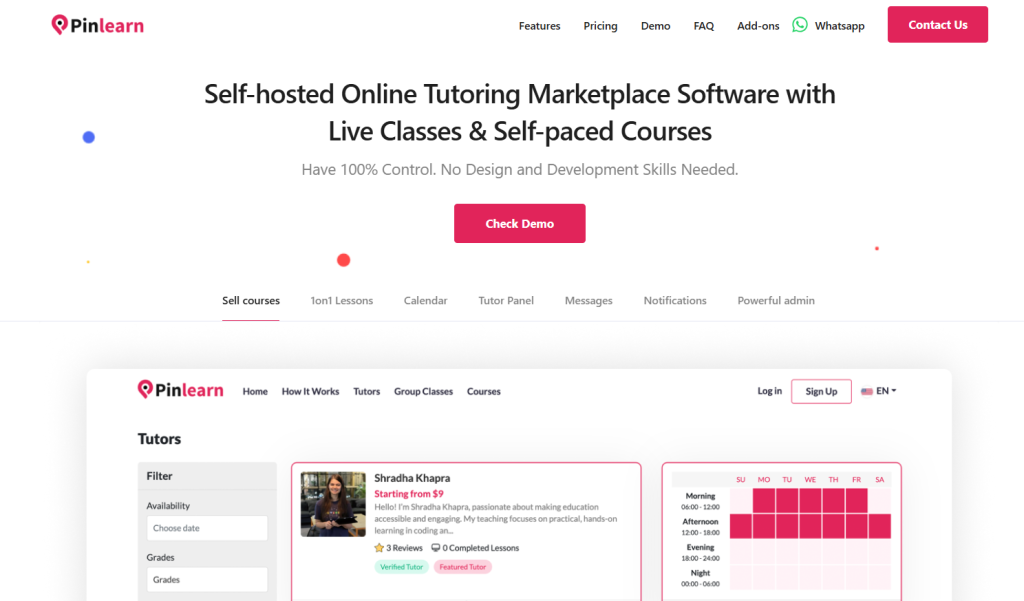
Pinlearn is a fully customizable, self-hosted tutoring marketplace software for launching your own branded tutoring platform. It offers features, such as 1-on-1 live classes, group webinars, courses, appointment scheduling, payment integrations, and more.
One of its key features is an advanced tutor dashboard with analytics. Tutors can manage everything from appointments, bookings, payouts, student details, and earnings from one place. Pinlearn offers built-in Stripe integration for accepting payments. Zoom and Lessonspace integrations help tutors to host interactive sessions for learners.
Best For:
- Entrepreneurs and startups with a tight budget and fast launch time, tutoring centers.
- Small or mid-sized tutoring centers
TutorBird
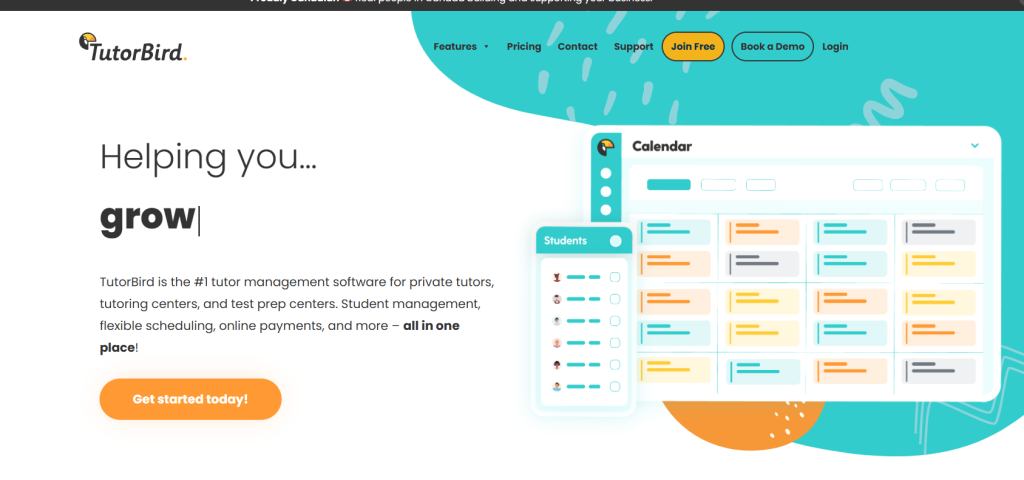
TutorBird is one of the leading tutor management tools for online tutoring, private tutoring, tutoring centers, and test preparation centers. It helps businesses to streamline everything from payments, invoicing, and scheduling from a single software.
Automated lesson reminders, built-in invoicing, payment integrations, drag-and-drop scheduling, and branding customizations are its key features. Business features include expense tracking, detailed reports, and mileage recording.
TutorBird supports multi-tutor and multi-branch setups, allowing businesses to scale with a centralized database.
Best For: Independent tutors, small or medium-sized tutoring centers.
TutorBird vs Pinlearn: Feature Comparison
We have covered a basic overview of both TutorBird and Pinlearn.
Now, let’s move on to a detailed comparison of both tutoring software based on key considerations. This comparison table will guide you to choose the best tutoring software.
Feature |
TutorBird |
Pinlearn |
Ease-of-use |
Quick setup and intuitive interface. Integrated calendar, reminders, automated invoices, student/parent portals reduce administrative work significantly. | Easy setup, smooth navigation, and responsive customer support. Comprehensive admin dashboards, simple course management, and simple scheduling. |
Scheduling |
Drag-and-drop calendars with flexible scheduling and easy management. Sync with Google Calendar, auto reminders, and color-code appointments. | Integrated calendar-view for appointments, schedule 1-on-1 sessions, group classes, or free sessions. View upcoming classes, manage recurring classes and maximum participants. |
Payments & billing |
Stripe and PayPal payment integrations, built-in invoicing, multiple payments. Some users complain — confusing invoicing setup for complex billing and limited payment gateways. | Built-in Stripe integration, accepts credit cards, wire transfer, and crypto payments. Refunds for canceled sessions, tutors request payouts, and add-ons to enable automated revenue splits. |
Admin & student management |
Centralized student database, custom groups, and automated reminders. Admin can manage multiple tutors, user roles, track payroll, and automate invoices. | Powerful admin dashboard to manage students, tutors, track appointments, earnings analytics, and payouts from a single place. Set commission rates, automated mails and platform notifications. |
Live classes |
Doesn’t support built-in live classes; allows integrating Zoom, LessonSpace, FaceTime and Skype for 1-on-1 or group live lessons. | Zoom or LessonSpace integration for live classes. Interactive whiteboards, session chats, record and download live sessions for later. |
Analytics & reporting |
Basic reporting on attendance, payroll, student details, revenue & expenses. Focuses on business performance rather than outcomes. | Tutor dashboard analytics to manage appointments, live classes, content, sales, and earnings. Admin panel to oversee student activity, tutor profiles, booking trends, revenue, and commissions. |
Customization & branding |
Customization, including email templates, uploading business logo, website builder, and personalized invoices. | White-labeling customizations for deeper UI flows, logos, colors, landing pages, and email templates. Dynamic language translation and premium add-ons for customization. Allows you to hire engineers for full customization support. |
Monetization channels |
Monetize from one-on-one lessons, group classes, and lesson packages. Per-lesson, monthly, and hourly billing. | Platform commissions, 1-on-1 classes, group lessons, pay-per-course, featured listings. Add-ons for subscriptions, ads, and bundles. |
Integrations & Tools |
Integrates with Stripe, PayPal, Zoom, LessonSpace, FaceTime, Wix, Squarespace, WordPress, and Zapier. | Integrations with Stripe, PayPal, Zoom, LessonSpace, SendGrid, and Google Analytics. Add-ons available for Stripe Connect and custom gateways. |
| Scalability | Supports multiple tutors, account permissions, and payroll. However, best suited for single tutors and small tutoring centers. Per tutor or staff pricing makes it expensive for enterprise-grade software. | Self-hosted architecture and full source code access make it easier to scale. No built-in user limits and premium add-ons for scaling tech, monetization, and payment solutions. |
TutorBird vs Pinlearn: Pricing
Pricing is a key factor when choosing the right tutoring software. While both TutorBird and Pinlearn offer valuable services, their pricing differs.
Here’s the detailed pricing structure for both TutorBird and Pinlearn:
TutorBird
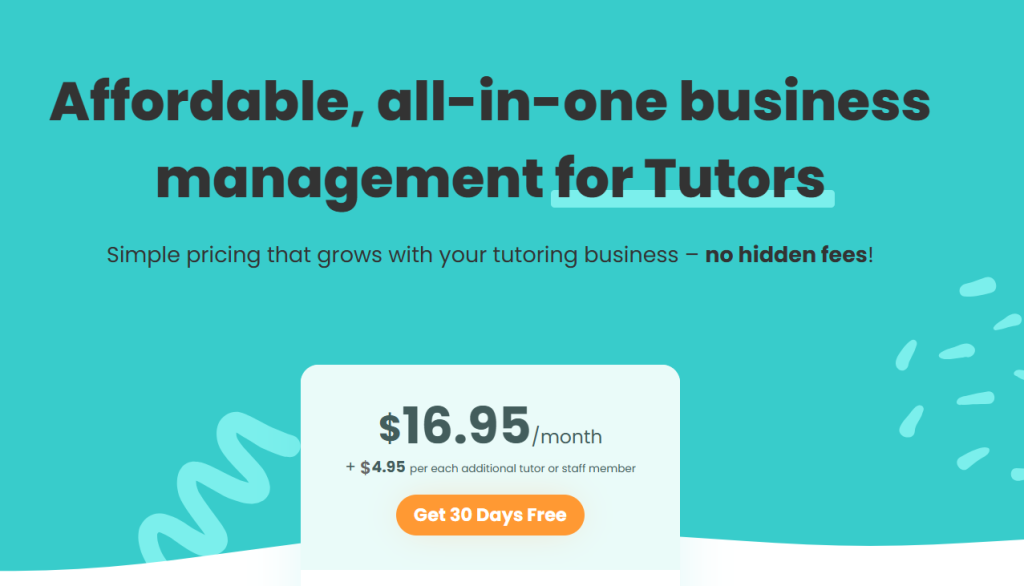
- Base software price – $16.95/month + $4.95 for every additional tutor
- Simple and affordable pricing
- Ideal for independent tutors and small tutoring centers
- 30-day free trial
Pinlearn
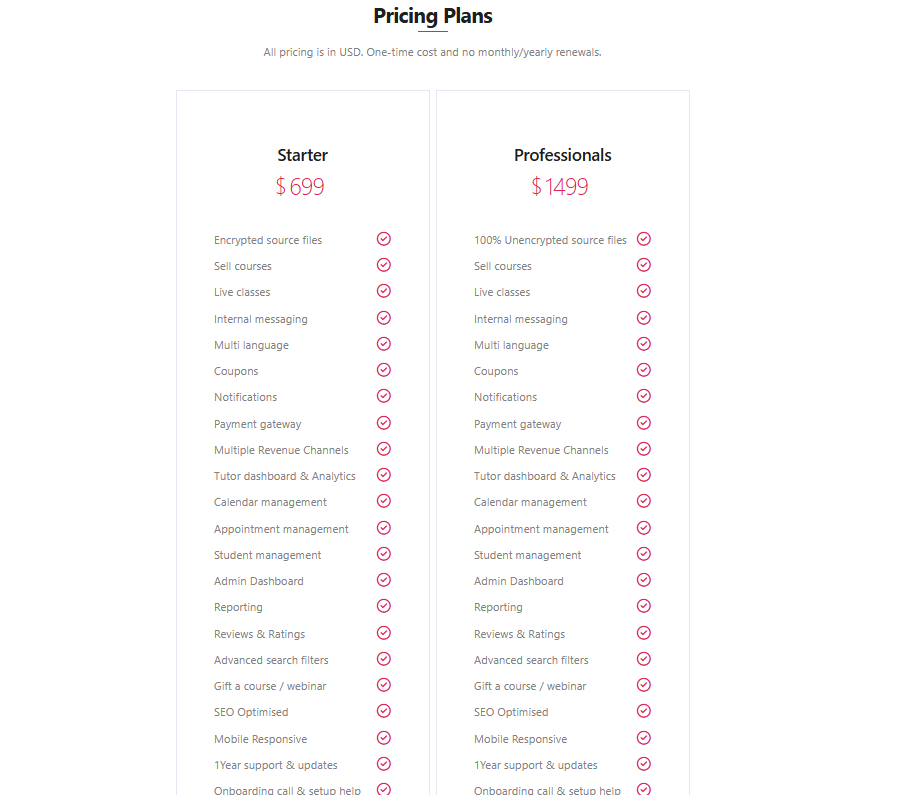
- Starters plan (one-time price) – $699 (All standard features, encrypted source files)
- Professional plan (one-time price) – $1499 (All standard features, full source code access)
- Build a self-hosted platform with a flexible plan and no recurring charges.
- Great for entrepreneurs and startups with a tight budget
- Offers complete control and ownership
TutorBird vs Pinlearn: Pros and Cons
TutorBird
Pros:
- Easy setup: Simple, intuitive dashboard with easy setup to get started in minutes
- User-friendly Interface: Drag-and-drop scheduling, student reminders and automated invoicing make it ideal for solo tutors and small businesses
- All-in-one solution: Manage scheduling, payments, invoicing and student tracking from one software.
- Invoicing & payments: Generates billing based on scheduled lessons, attendance track and default prices set for students.
- Automated communication: Upcoming lesson reminders and invoices through email or SMS from the system.
Cons:
- Not built for enterprise software: Best for independent tutors and small businesses; expensive due to per-tutor pricing model.
- Limited branding & customization: Not suitable for deeper or UI workflow enhancements.
- Basic reporting: Reporting is limited to business growth, and student reports could be more robust.
- No marketplace support: Doesn’t support built-in marketplace setup, and is more of a tutor management software.
Pinlearn
Pros:
- Built-in marketplace: Allows entrepreneurs to manage multiple tutors and students using an all-in-one tutor marketplace software.
- Diverse revenue streams: Monetize from live classes, group webinars, courses, featured listings, bundles and subscriptions.
- Advanced analytics & reporting: Comprehensive tutor and admin dashboard for complete control, and streamlining operations.
- White-labeling & branding: Allows full branding & customization with deep UI flows, logos, and premium add-ons.
- Mobile responsive: Responsive design optimized for all types of screens and devices.
- One-time Cost: Pinlearn offers affordable and flexible pricing plans with a one-time cost and no recurring costs.
Cons:
- Basic setup & integrations: Support team guides with quick setup, onboarding and integration for deploying a customized learning platform.
- Ideal for tutoring and course platforms: More suitable for tutoring marketplace, tutoring centers, course business, rather than solo tutors.
Final Verdict: Which is the Best Choice?
While choosing between the platforms can be confusing, it’s all about what your business needs. Consider factors such as business size, goals, target audience, and ownership.
If you are an entrepreneur building a tutoring marketplace, looking for an affordable price and quick launch, Pinlearn is the best choice. It offers platform ownership, marketplace features, full customization and branding support.
However, if you are an independent tutor or a small tutoring business seeking tutor management software to streamline your business operations, then TutorBird is the ideal choice. It’s an integrated solution, easy to set up, and offers automation at a competitive price.
Both platforms excel in their use case scenario. Ultimately, everything comes down to what’s right for your business and platform users.
📖 Similar Comparison Blogs:
FAQ-Related to TutorBird vs Pinlearn
1. Can I build a tutor marketplace with Pinlearn?
Yes, entrepreneurs can build a full-fledged tutoring or course marketplace using Pinlearn’s built-in marketplace.
2. Which among both provides better customer support?
TutorBird provides rapid customer support with a help center, email support, tickets and live chat. Pinlearn is known for its proactive customer support through emails, ticket system, chat support and live calls. It offers one-year free update support covering ongoing technical assistance, bug fixes, and integration support.
3. Which is better for scalability: TutorBird or Pinlearn?
Pinlearn provides a self-hosted architecture, premium add-ons, and full customization support for scaling your business. TutorBird offers multi-tutor and multi-branch features; however, it lacks extensive customization and branding support.
4. How do the pricing models differ for both tutoring software?
TutorBird operates on a monthly subscription (recurring) and pay-per-tutor pricing model. Pinlearn relies on a one-time pricing structure with two flexible plans and no recurring charges. Once you purchase the software, you get a lifetime license to use it.
5. Are these platforms SaaS or self-hosted?
Pinlearn helps entrepreneurs build a self-hosted tutoring platform with complete control and ownership. TutorBird is a cloud-based, SaaS subscription platform where businesses pay for software access with a monthly fee and an additional price for every new tutor or member.
6. Is it possible to run live classes with both software?
Yes, both TutorBird and Pinlearn support 1-on-1 and group classes. TutorBird supports integrating with Zoom, LessonSpace, FaceTime and Skype. Pinlearn offers built-in Zoom and LessonSpace integration for interactive live classes.